Introduction
For content creators, having the right laptop can make all the difference in productivity and creativity. Whether you’re editing videos, designing graphics, or producing music, a laptop with powerful specifications and features tailored for content creation is essential. This guide explores the key features to look for, offers buying tips, and highlights some of the best laptops for content creators available today.
Key Features of Laptops for Content Creation
Content creation laptops are equipped with advanced specifications to handle demanding tasks. Here are the must-have features:
1. Powerful Processor
A high-performance CPU, such as an Intel Core i7/i9 or AMD Ryzen 7/9, is crucial for rendering, multitasking, and running resource-intensive software.
2. Dedicated Graphics Card
A powerful GPU, like NVIDIA GeForce RTX or AMD Radeon Pro, accelerates video editing, 3D rendering, and other graphic-intensive tasks.
3. Ample RAM
16GB is the minimum recommended RAM for smooth multitasking, while 32GB or more is ideal for complex projects.
4. High-Resolution Display
A 4K or QHD screen with accurate colour reproduction (100% sRGB or AdobeRGB) ensures precise editing and viewing.
5. Fast Storage
Solid-state drives (SSD) provide faster boot times and quick file access. Opt for at least 512GB, with expandable storage if possible.
6. Portability and Build Quality
Lightweight and durable laptops with long battery life are ideal for creators on the go.
7. Connectivity Options
Thunderbolt, USB-C, and HDMI ports are essential for connecting external monitors and peripherals.
Tips for Buying the Right Laptop for Content Creation
Finding the perfect laptop involves balancing performance, budget, and specific needs. Here are some tips:
1. Determine Your Use Case
- Video Editing: Prioritize a strong GPU, large display, and fast storage.
- Graphic Design: Look for a high-resolution, color-accurate display.
- Music Production: Choose a laptop with excellent audio capabilities and multiple USB ports for peripherals.
2. Check Software Requirements
Ensure the laptop meets or exceeds the recommended system requirements for your creative software, such as Adobe Creative Suite.
3. Consider Upgradability
Some laptops allow you to upgrade RAM or storage, extending their usability.
4. Set a Budget
High-performance laptops range from ₹50,000 to ₹1,25,000 or more. Decide on a budget and prioritize features that matter most. Decide on a budget and prioritize features that matter most. Usually
Best-Selling Laptops for Content Creation
Here are some of the best laptops tailored for creators:

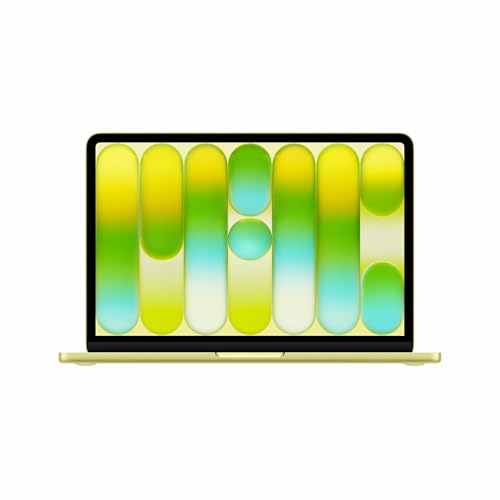
- HELLO, MACBOOK NEO — Ready for whatever your day brings, MacBook Neo flies through everyday tasks and apps. Choose from four stunning colours in a durable aluminium design. With a brilliant 33.02 cm (13″) Liquid Retina display, the A18 Pro chip built for AI and Apple Intelligence, and up to 16 hours of battery life, it’s an amazing Mac at a surprising price.
- THE MOST COLOURFUL MACBOOK LINE-UP EVER — Choose from Silver, Blush, Citrus or Indigo — each with a colour-coordinated keyboard to complete the look. And with a durable aluminium design, MacBook Neo is built to go wherever you go.
- POWER FOR EVERYDAY TASKS — Ready the moment you open it, MacBook Neo with the A18 Pro chip delivers the performance and AI capabilities you need to get things done, whether you’re editing family photos, powering through spreadsheets, using AI to summarise class notes or playing the latest Apple Arcade game.
- UP TO 16 HOURS OF BATTERY LIFE — With all-day battery life, MacBook Neo is equipped to go the distance for everyday users and students — from early-morning classes to late-night study sessions.
- A BRILLIANT 33.02 CM (13″) DISPLAY — Feast your eyes on the gorgeous Liquid Retina display. A 2408×1506 resolution, up to 500 nits of brightness and support for a billion colours provide vivid images and crisp text.
- HELLO, MACBOOK NEO — Ready for whatever your day brings, MacBook Neo flies through everyday tasks and apps. Choose from four stunning colours in a durable aluminium design. With a brilliant 33.02 cm (13″) Liquid Retina display, the A18 Pro chip built for AI and Apple Intelligence, and up to 16 hours of battery life, it’s an amazing Mac at a surprising price.
- THE MOST COLOURFUL MACBOOK LINE-UP EVER — Choose from Silver, Blush, Citrus or Indigo — each with a colour-coordinated keyboard to complete the look. And with a durable aluminium design, MacBook Neo is built to go wherever you go.
- POWER FOR EVERYDAY TASKS — Ready the moment you open it, MacBook Neo with the A18 Pro chip delivers the performance and AI capabilities you need to get things done, whether you’re editing family photos, powering through spreadsheets, using AI to summarise class notes or playing the latest Apple Arcade game.
- UP TO 16 HOURS OF BATTERY LIFE — With all-day battery life, MacBook Neo is equipped to go the distance for everyday users and students — from early-morning classes to late-night study sessions.
- A BRILLIANT 33.02 CM (13″) DISPLAY — Feast your eyes on the gorgeous Liquid Retina display. A 2408×1506 resolution, up to 500 nits of brightness and support for a billion colours provide vivid images and crisp text.

- Processor: 13th Gen Intel Core I3-1315U processor | 6 Cores | 8 Threads | Speed Upto 4.5 Ghz | 10MB Cache | Memory: 16GB DDR4 RAM 3200 MHz, dual-channel capable upgradable up to 16GB | Storage: 512GB SSD M.2
- Operating System: Preloaded Windows 11 Home SL with Lifetime Validity | Pre-installed software: Microsoft Office Home 2024
- Display: 14″ screen with (1920×1080) FHD Antiglare, 250nits display | Graphics: Integrated Intel UHD Graphics comes with DirectX 12.1 enables amazing graphics| Monitor Supports: Up to 3 independent displays
- Ports: 1x USB 2.0 | 1x USB 3.2 Gen 1 | 1x USB-C 3.2 Gen 1 (support data transfer, Power Delivery (20V only) and DisplayPort 1.2) | 1x HDMI 1.4b | 1x Headphone / microphone combo jack (3.5mm) | 1x Ethernet (RJ-45) | 1x Power connector
- Keyboard: 6-row, spill-resistant, multimedia Fn keys, key travel 1.3mm, SMB Service Hot key | Touchpad: Buttonless Mylar surface multi-touch touchpad, supports Precision TouchPad
Must-Have Accessories for Content Creators
- External Monitors: Enhance multitasking and precision with a second screen.

- 21.45-INCH FULL HD MONITOR – The PRO MP223 E2 features a large 21.45-inch size with Full HD (1920×1080) resolution; A 100Hz high refresh rate improves the day-to-day visual experience with smoother, faster frame rates.
- IMAGE QUALITY – The PRO MP223 E2 supports a 99% sRGB Colour Gamut (6-bit+FRC, 16.7M colours), 250 nits brightness & superior 3000:1 Contrast Ratio; MSI Display Kit App unlocks extra display, productivity & colour settings.
- EYE COMFORT ORIENTED – MSI EyesErgo solution includes TÜV Rheinland Eye Comfort certified Less Blue Light & Anti-Flicker technology as well as Eye-Q Check software to prevent strain during extended periods of use; Anti-glare surface treatment.
- SIMPLE YET FLEXIBLE – The monitor comes with 75mm VESA brackets for wall or arm mounting (e.g., MSI VESA Arm MT81), while the stand is tilt Adjustable & includes a Handy Accessory Slot design.
- MODERN & LEGACY CONNECTIVITY – Supports Multi-System Control & display with HDMI 1.4b (FHD@100Hz) and DisplayPort 1.2a ports; Includes a headphones-out jack.
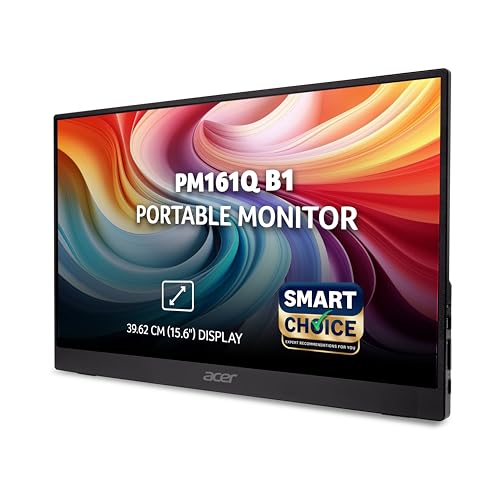
- 【🖥️ Ultra-Portable 15.6″ Full HD Display】Enjoy sharp 1920 × 1080 resolution on a vibrant IPS panel with 178° wide viewing angles. Weighing just 700 g, it’s perfect for effortless portability, ideal for work, travel, or hybrid setups.
- 【🔌 Flexible Connectivity – USB-C & HDMI】Works with modern laptops, tablets and smartphones: 2× USB Type-C ports + 1 × HDMI ensure you can plug in easily and deliver display + power via USB-C.
- 【🧱 Strong & Sturdy Build + Ultra-Slim Profile】Despite its portability the monitor is built for work: robust chassis, ultra-slim depth (under ~20 mm), and VESA/tilt friendly for flexible usage (desk, travel, dual-screen setups).
- 【🔊 Built-In Speakers & Portable Productivity】Integrated stereo speakers deliver clear audio for meetings, videos, or entertainment, perfect for travel or hybrid work setups without needing external peripherals.
- 【👁️ Fast & Eye-Friendly Viewing】4 ms (GtG) response time ensures smooth motion for presentations and content playback, while Acer VisionCare and BlueLightShield technologies reduce eye strain during long hours of use.
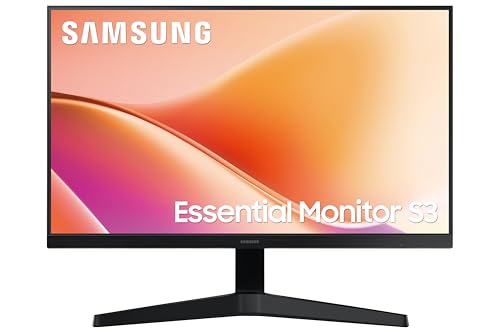
- Samsung 24 Inch Flat Display Monitor FHD 1,920 x 1,080 Resolution
- Aspect Ratio: 16:09 | 178°(H)/178°(V) Viewing Angle | 16.7 Million Color Support | 250 cd/㎡ Brightness (Typical) | 3000:1 Contrast Ratio | Refresh Rate: 100 Hz | Response Time: 5 ms (GTG)
- VA Panel | 100 Hz Refresh Rate | Game Mode | Eye Saver Mode & Flicker free
- Additional Features: Color Gamut (NTSC) 72% | Wide Viewing Angle | Eco Saving Solution | Image Size | Off Timer Plus | Tilt -2˚(+2˚/-1˚) ~ 20˚(±2˚)
- Connectivity options: 1 D-Sub Port | 1 HDMI Port, HDMI Version 1.4, HDCP Version (HDMI) 1.4 || 3-Year Warranty from Manufacturer
- Portable SSDs: Expand storage and enable fast file transfers.
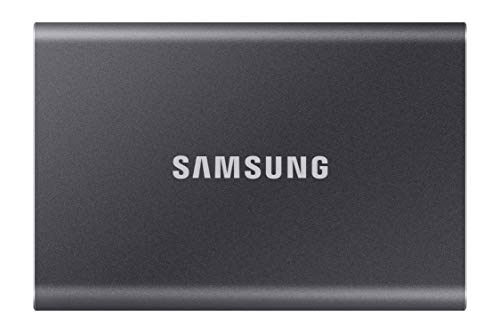
- Performance of up to 1,050 MB/s, up to 9.5x faster than external HDD
- Interface: USB 3.2 Gen 2 (Up to 10Gbps). Backwards compatible. The host device and connection cable must support USB 3.2 Gen 2 to reach the maximum speed.
- Durable: Shock resistant internal frame lets the T7 withstand falls from up to 2 meters
- Security: Optional password protection and AES 256 bit hardware encryption
- Windows 7 and higher, Mac OS X 10.10 and higher, or Android 5.1 (Lollipop) and higher.

- Performance of up to 1,050 MB/s, up to 9.5x faster than external HDD
- Interface: USB 3.2 Gen 2 (Up to 10Gbps). Backwards compatible. The host device and connection cable must support USB 3.2 Gen 2 to reach the maximum speed.
- Durable: Shock resistant internal frame lets the T7 withstand falls from up to 2 meters
- Security: Optional password protection and AES 256 bit hardware encryption
- Windows 7 and higher, Mac OS X 10.10 and higher, or Android 5.1 (Lollipop) and higher.
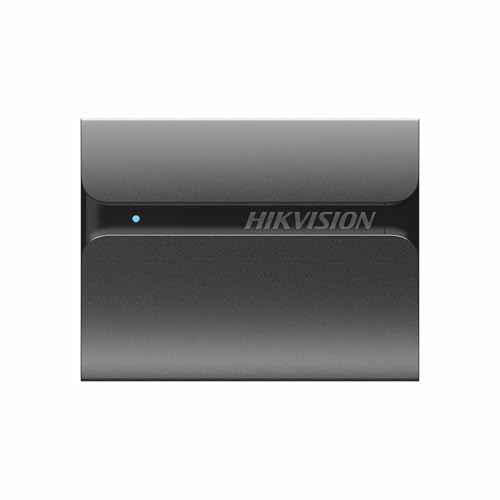
- Expand your storage instantly with a compact, high-speed portable SSD designed for smartphones, laptops, tablets & Gaming Consoles. Built for speed, durability and portability
- Experience lightning-fast read speeds of up to 560 MB/s—up to 4× faster than traditional external hard drives. Transfer large files, videos and backups in seconds.
- Ideal for Professionals, Content creators, Students, Photographers, Video editors and Gamers who need reliable, high-speed storage for work files, multimedia and daily backups.
- Designed with a slim metal body which is sturdy & durable also with solid-state technology & no moving parts, the SSD is shock-resistant and drop-protected, keeping your data safe even during everyday travel.
- Enjoy complete confidence with a 3-Year Manufacturer Warranty, ensuring dependable performance for work, creativity, and everyday storage needs.
- Docking Stations: Connect multiple peripherals and expand ports
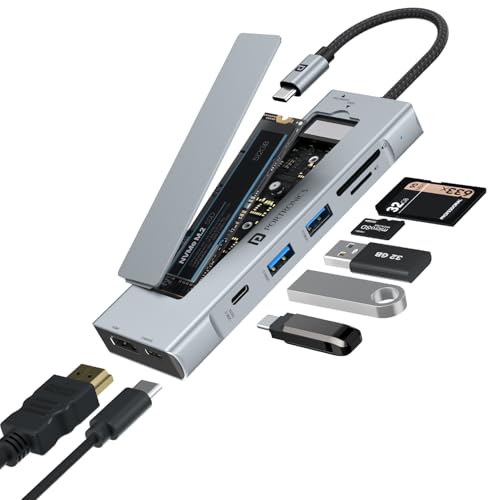
- Built-in M.2 SSD Storage Slot Features an integrated SSD slot supporting M.2 sizes 2242, 2260 & 2280. Compatible with both NVMe and SATA M.2 SSDs, allowing fast, expandable storage without carrying a separate enclosure. (SSD not included)
- 8-in-1 Connectivity Expansion Converts a single Type-C port into multiple essential ports including HDMI, USB 3.0, SD & microSD card reader, Type-C PD charging, and Type-C data port—perfect for laptops with limited ports.
- 100W Type-C Power Delivery Supports up to 100W PD pass-through charging, enabling you to charge your laptop while using all other ports simultaneously for uninterrupted productivity.
- Crisp 4K HDMI Display Output Mirror or extend your screen in sharp 4K resolution at 30Hz, ideal for streaming, and everyday multimedia use.
- High-Speed Data Transfers USB 3.0 and Type-C data ports enable quick transfer of large files, photos, and videos, while the SD & microSD card reader ensures easy access to camera and storage cards.
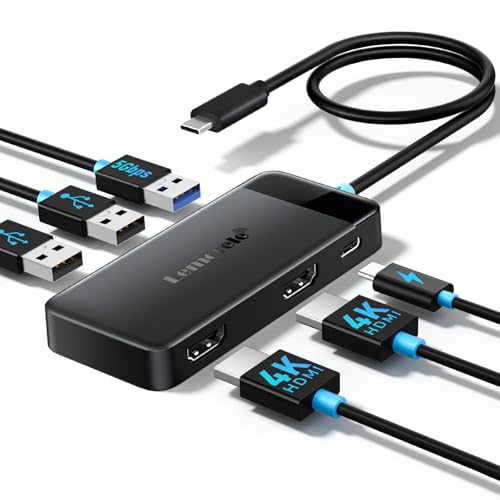
- [Dual-Screen Visual Upgrade & Universal Device Compatibility] This USB-C hub for MacBook is equipped with dual HDMI ports, supporting MST dual 1080P extended display for Windows systems and SST dual 4K mirroring mode for Mac OS. It delivers 4K ultra-clear single-screen output, perfect for workstation multitasking, gaming, and home entertainment scenarios. Compatible only with Thunderbolt 3/4/USB-C devices with native video transmission, it’s an ideal choice balancing office work and entertainmen…
- [6-in-1 Integrated Design & Flexible Long-Cable Adaptation] This docking station for laptop features a 6-in-1 all-in-one design, allowing simultaneous connection of peripherals like keyboards, mice, and storage devices to eliminate desktop clutter. The 0.2-meter long cable fits large spaces, meeting the needs of users who require extended cable length. It’s suitable for home, office, and mobile scenarios
- [High-Speed Stable Transmission & Easy Plug-and-Play Ports] This USB-C hub comes with 1 5Gbps USB 3.0 port that cuts data transfer time by 80% compared to USB 2.0, plus 2 USB 2.0 ports ensuring lag-free peripheral connections. The optimized loose-fit port design solves the pain point of tight interfaces, enabling smoother plugging and unplugging
- [Durable & Portable Build & 100W PD Fast Charging] Crafted from high-quality shock-resistant material, this USB-C dock meets most users’ durability requirements, withstanding daily use and frequent plugging/unplugging. Its compact and lightweight design has won approval from nearly 90% of users, making it easy to store and carry. Built-in 100W PD fast charging port supports pass-through charging while using the hub. Note: This port is for charging only and does not support audio, video, or data …
- [Wide Multi-Scenario Compatibility & Worry-Free After-Sales Service] This USB-C docking station seamlessly works with MacBook/Air, HP, Dell, and other mainstream devices. It supports high-power peripherals like external hard drives and performs flawlessly in gaming scenarios with zero disconnection or lag issues, earning positive feedback on stability from 70% of users. The product is 100% genuine new; you can inspect it upon unboxing. Enjoy 1-year warranty, hassle-free returns and exchanges, an…
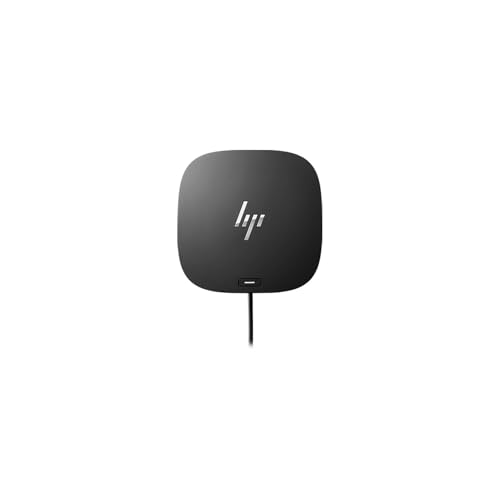
- The HP USB-C Dock G5 Docking station is designed with universal compatibility in mind, this dock works with both HP and non-HP USB-C and Thunderbolt-enabled notebooks.
- Docking Station connects your laptop to up to three additional monitors, various external devices and the internet with a single cable.
- This sleek, compact dock unlocks enhanced productivity and entertainment options with high-speed connectivity. Enjoy compact dock that takes up only 5 x 5 inches of space.
- Comes with one year limited warranty from the Manufacturer. It features a convenient way to expand the capabilities of your portable pc and customize your desktop computing environment.
- Add your accessories and up to three displays to the dock. Then simply connect it to your notebook through a single USB-C cable to access your devices and charge your PC.
- Stylus Pens: For digital artists using touchscreen laptops.
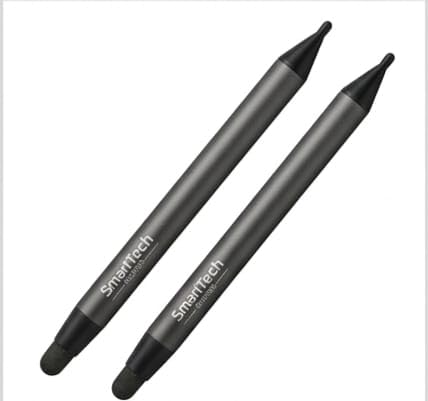
- Battery-Free & Zero Maintenance: The SmartTech Stylus requires no batteries, no charging, and no Bluetooth pairing. It is always “on” and ready to use, making it the perfect tool for busy classrooms and high-pressure boardroom meetings. All Brand Interactive Flat Panel Compatible.
- Precision Dual-Tip Design: Featuring a versatile dual-tip structure—a fine tip for precise writing and annotation, and a thicker tip for highlighting or bold strokes. This allows for a natural, pen-on-paper experience without digital lag.
- Anti-Scratch & Screen Safe: The smooth, soft-touch tips are engineered to glide effortlessly across the glass surface without leaving scratches or smudge marks, keeping your interactive panel in pristine condition.
- Superior Hygiene & Maintenance: A water-resistant finish makes it easy to sanitize between uses—crucial for shared devices in classrooms and corporate huddle rooms.
- Durable & Ergonomic Build: Crafted from high-quality, lightweight ABS material with a hexagonal easy-grip design. It’s built to withstand heavy daily use in schools and offices while preventing hand fatigue during long teaching sessions.
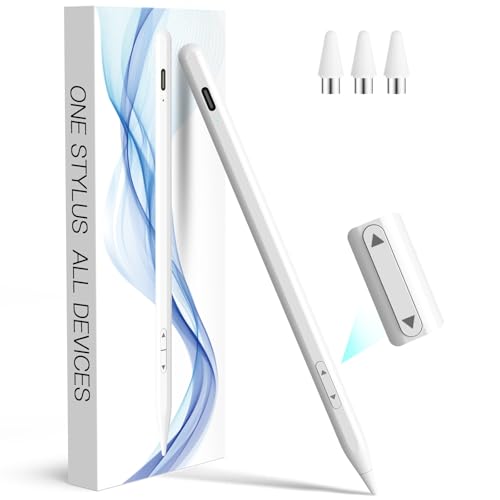
- Wide Compatibility: This stylus pen works universally with touchscreen capacitive devices, featuring a unique design that supports both iOS and Android systems. Change between “iPad Mode” (for iPad 2018 and later models) and “Other Devices Mode” (for iPhone 6+/iOS devices and Android phones/tablets) via the up/down toggle buttons. Note: Not compatible with Fire HD, Kindle, Pixel, or Chromebook and other Electromagnetic Screen
- High Precise and Sensitive: Stylus Pen has premium 1.5 mm nib with highly sensitive touch technology. It provides better accuracy and smooth writing without lag, delays and disconnections, boasting strong compatibility—perfectly meeting the high-precision creative needs of universal touchscreens devices users
- Advanced Palm Rejection : When the stylus is in iPad mode (displays a green light), it features palm rejection . Palm rejection technology enables your palm to rest comfortably to ensure a smooth and natural experience for drawing, sketching and colouring.
- 10 Mins Fast Charge & Ultra-long Battery Life: Stylus pen features Type-C charging, it fully charged in just 10 minutes and provides up to 10 hours of continuous use to meet extended working needs
- Strong Magnetic Attachment & Durability: Equipped with dual magnets design that securely attach to iPad, eliminating worries about rolling and lost. It easy to carry and storage in daily life
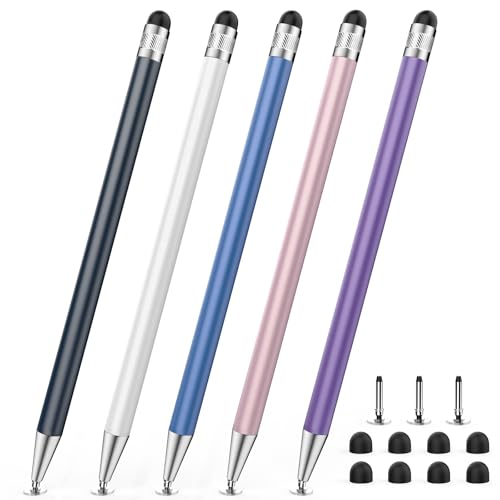
- 【Upgraded 2-in-1 Stylus】: The size of the Disc tip and the structure of the connection are optimized. When writing notes, it is recommended to use a transparent disc tip so that there will be no interruptions.This 2-in-1 stylus pen meets various needs in your daily life, whether it’s clicking icons, writing, drawing, or playing games, it can handle them all with ease.
- 【Highly Sensitive and Accurate】: The disc tip is transparent which allows visibility of the contact point, making it highly accurate and responsive. 180° flexible writing angle for comfortable using. You can get more smooth writing or painting experience, no lag, no interruption, no screen scratching.
- 【Disc and Rubber dual Tips design】: The two different- tips(0.27” & 0.27”) are smooth and responsive, made from high-quality material with excellent wear and aging resistance. The soft rubber tips won’t scratch screens or leave as many fingerprints as fingers. Ideal for those with long nails or larger fingers, perfect for browsing screens,, and playing games.
- 【Wide Compatibility】: StylusHome styluses are universally compatible with all capacitive cell phones, tablets, touch screen laptops & PC, e-Reders, such as for nintendo switch stylus, for switch 2 stylus, Apple iPad/ iPhone/ iPod/ Tablet/ / kindle & more.
- 【Easy to Use & Replaceable】: No battery or bluetooth needed, simply unscrew the pen cap to use the disc tip and use dual rubber tips directly.2 tips are replaceable and finish the replacement process within seconds. Package contains 5* stylus, 8* replaceable rubber tips, 2* disc tips, effectively extending the lifetime of the stylus.
- Laptop Stands: Improve ergonomics and cooling
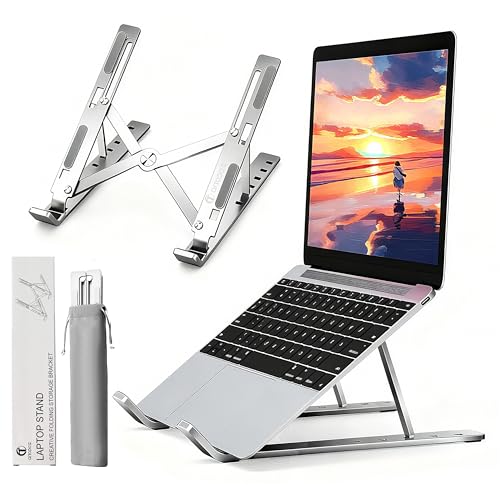
- 【Ergonomic Design with 6 Height Adjustments】Easily adjust your laptop to perfect ergonomic height to prevent neck and back pain. Comfortably look straight on the screen while typing casual, which greatly improves your occupational health and productivity. Tip: To unfold the stand smoothly, hold the base and gently lift the support arm.
- 【Stable & Non-slip with 4 Rubber Feet】The sturdy aluminum construction and 4 rubber feet provide an extremely stable and safe platform. Your laptop stands firmly in place without slipping or scraping against your beloved desk.
- 【Lightweight but Sturdy in Aluminum】Made of a durable aluminum alloy that combines durable strength with light weight. A reliable partner for work and travel – strong enough to trust, light enough to carry.
- 【Open Design for Superior Heat Conduction】The hollow bottom design with optimal air circulation allows the air to flow freely under your laptop. Effectively prevent overheating, improve performance and extend the life of your precious computer.
- 【Compact & Universal for 8-16 inch Laptops】The foldable design makes it exceptionally space-saving and perfect for travel, cafe work or home office. Suitable for all popular models (MacBook, Dell, HP, Lenovo, etc.) and easily stored in your laptop bag. Tip: For maximum stability, place the device so that the center of gravity is above the support arm.
![Cubiker Engineered Wood Multipurpose Foldable Laptop Table with Cup Holder | Table Home Study Writing Table, Foldable and Portable/Ergonomic Edges (Wooden, 60[L] X 40[W] X 24[H] cm)](https://m.media-amazon.com/images/I/31yGT71BanL.jpg "Best Laptops for Content Creation: Features, Buying Tips, and Top Picks 17")
- [Versatile Usage] – Whether you need a lap desk, bed table, or a laptop table, this product serves all purposes. It’s perfect for working, studying, writing, or enjoying meals comfortably. From adults to kids, this mini table is suitable for all ages. It can be used as a study desk, a laptop stand, or a versatile workstation.
- [Lightweight & Portable] – Weighing just 3 pounds, this bed table/lap table is incredibly lightweight, making it effortless to carry around. Take it with you wherever you go and enjoy a portable workstation at your fingertips. It is carefully designed with a desktop size and height that are perfectly suited for various activities.
- [Large Desktop Space] – 23.62″ L X15.75″ W desktop for more workspace. Use it for a simple dining table, laptop computer table, studying desk, adjustable sofa table, or height-adjustable computer workstation. Thicken metal and E-class environmental MDF boards have a high weight capacity and keep stabilization.
- [COMPACT SIZE] – 23.62″L * 15.75″ W * 24″H, applies to small space. Small but more convenient to use, great use for the side of the couch, bed, home office desk, etc.
- [Stable & Reliable] – Despite its lightweight nature, this table offers stability and durability. The tabletop is made of high-density plate and the leg is made of high-strength iron ensuring a sturdy and reliable workstation for all your needs.
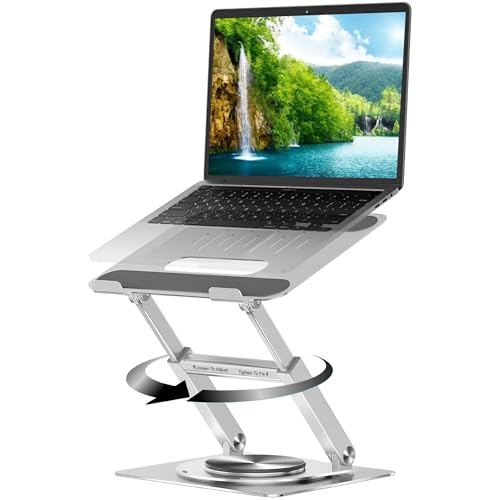
- 360° Rotating Base for Versatile Viewing – The Dyazo laptop stand features a smooth 360 degree swivel base, allowing effortless rotation for seamless multitasking, collaboration or adjusting screen angles for optimal ergonomics.
- Adjustable & Foldable Ergonomic Design – Designed for comfort, this laptop riser offers multiple height and angle adjustments, promoting better posture, reducing neck strain and folding compactly for easy portability when traveling or commuting.
- Sturdy Carbon Steel Build for Stability – Crafted from high quality carbon steel, this durable laptop stand ensures a strong and wobble free experience, securely holding laptops from 10 to15.6 inches without compromising stability.
- Anti Slip Pads & Heat Vent for Protection – Equipped with anti-slip silicone pads, this stand prevents laptop slippage, while the ventilated design enhances airflow, effectively dissipating heat to keep your device cool during extended usage.
- Universal Compatibility for Laptops & Notebooks – Perfectly compatible with MacBook, Dell, HP, Lenovo and other laptops up to 15.6 inches, this stand is ideal for office setups, home workstations, gaming or studying needs.
Conclusion
Investing in a high-quality laptop tailored for content creation can elevate your creative projects to the next level. By understanding the key features, evaluating your specific needs, and exploring the best options, you can find a laptop that perfectly complements your workflow. Whether you’re editing videos, designing, or producing music, the right laptop will keep you inspired and productive.
Create without limits!
Disclosure: As an Amazon Associate, Virtual Studio earns from qualifying purchases. This comes at no additional cost to you and helps support our work.